
General
Start And Update
Power On Start
Deeplink will automatically launch after the device starts.
Services(Still Can be remoted after exiting)
Deeplink's controlled functionality will run as a service, regardless of whether the UI process is launche d, making it suitable for unattended environments.
Entering the tray
Closing the window will not exit the application; it will remain in the system tray.
HotKey Settings
Full/windowd
shortcut key to toggle between fullscreen and windowed mode for the Deeplink remote window.
Window Minimize
Shortcut key to minimize Deeplink remote Window.
Switch Screen
shortcut key to switch monitors on the controlled device when multiple displays are available.
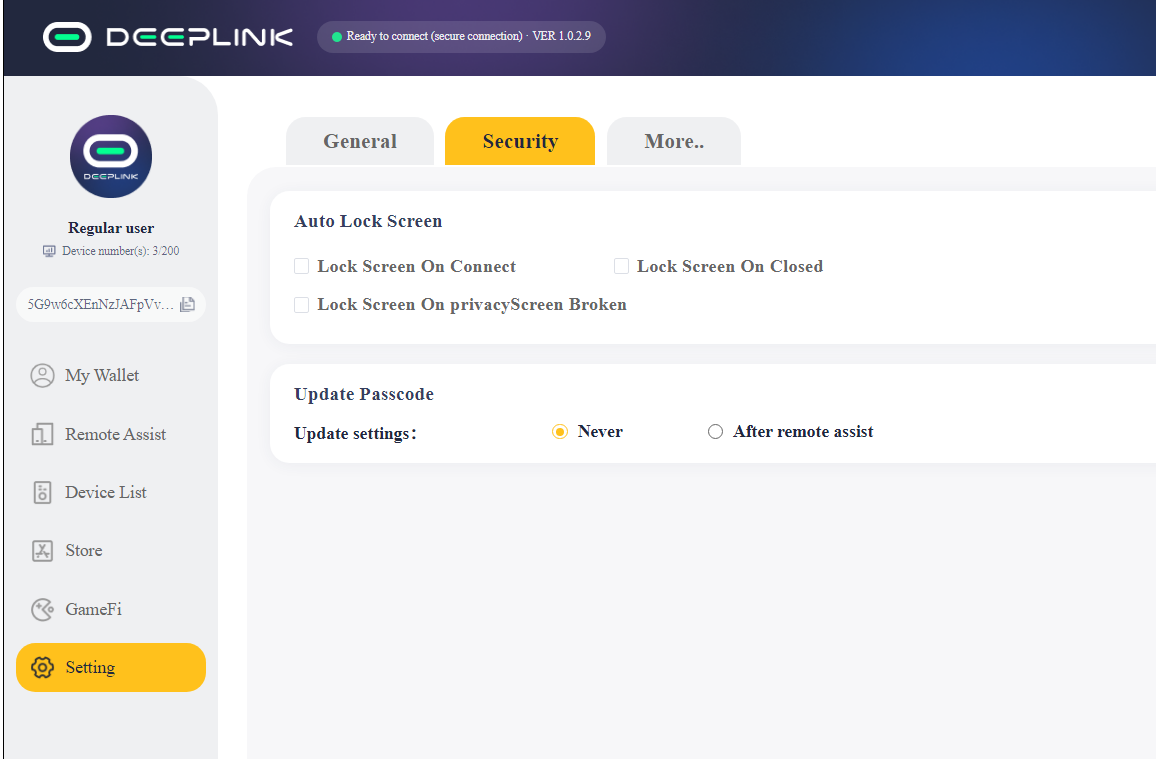
Security
AutoLock Screen
Lock Screen On Connect
Enable Windows lock screen functionality during a remote connection.
Lock Screen On CloseClosed
Enable Windows lock screen functionality during a remote connection disconnect.
Lock Screen On privacy Window Broken
Enable Windows lock screen functionality during privacy broken in remote connection.
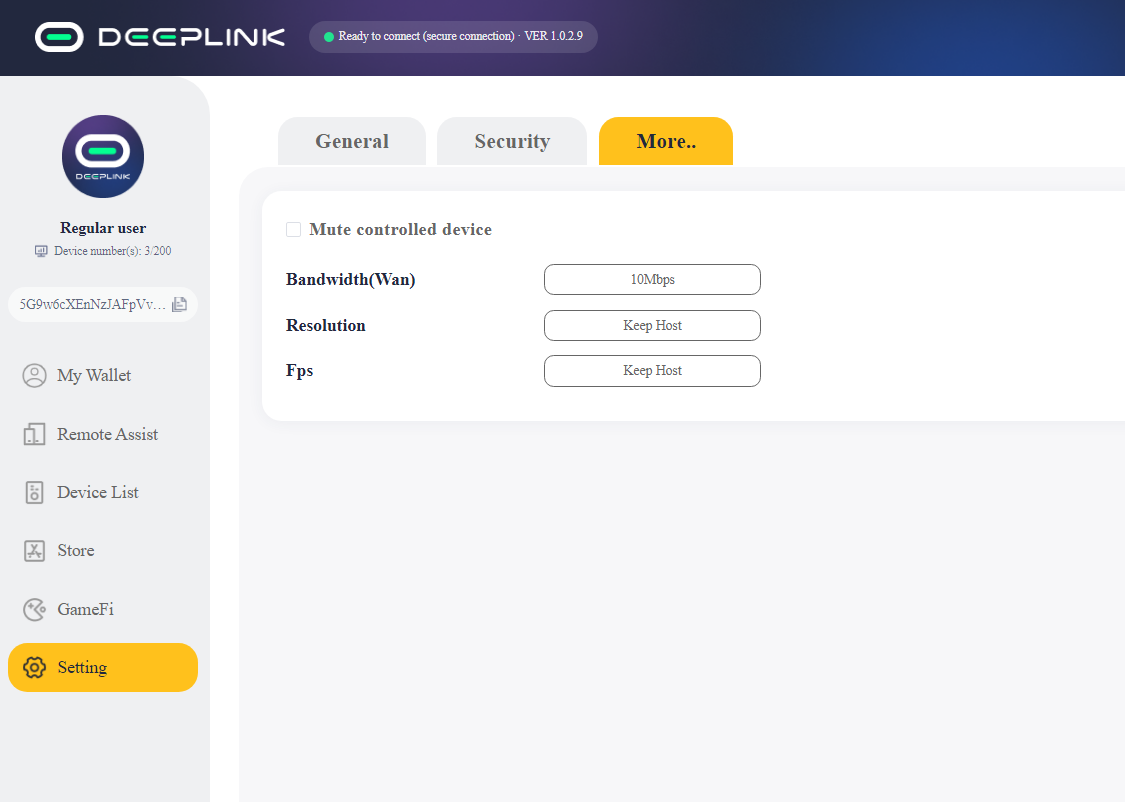
More
Mute Controlled Device
During the remote connection, audio plays only on the controlling side and not on the controlled side.
Bandwidth(wan)
The maximum allowed bitrate for remote connections over a wide area network (WAN).
Resolution
The resolution selected on the controlled side during a remote connection, including options like Keep Host Resolution, Use Client Resolution, etc.
Fps
The fps selected on the controlled side during a remote connection, including options like Keep Host Fps, Use Client Fps, etc.